What's new? February 2026
We’re thrilled to share the updates for February. Here are the key highlights:
Add-ons in Proposals: Increase quote value by offering optional add-ons within proposals. Customers can select additional products or services during proposal acceptance without changing the base scope of work.
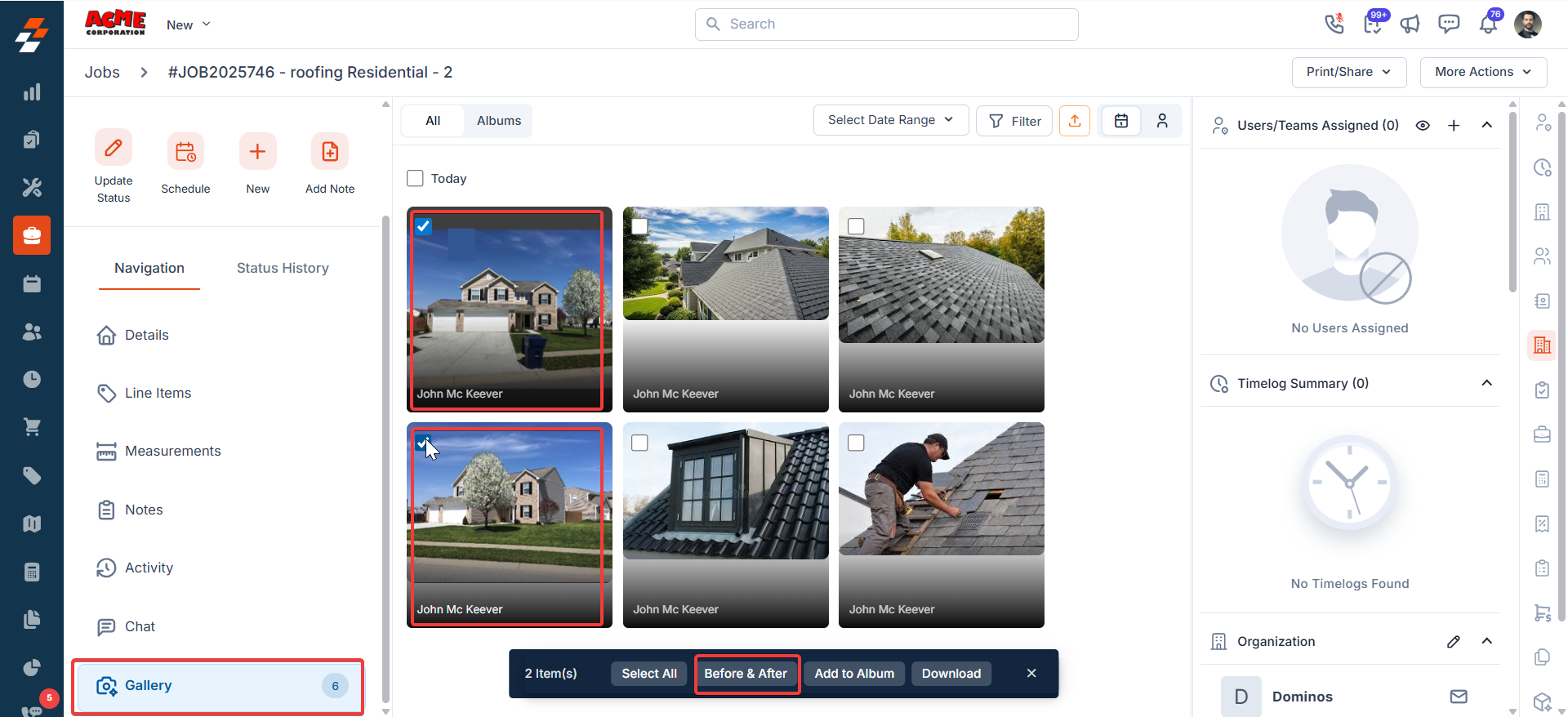
Before & After Image Creation: Create before-and-after comparison images directly within the job gallery to visually showcase project progress and transformations without using external tools.
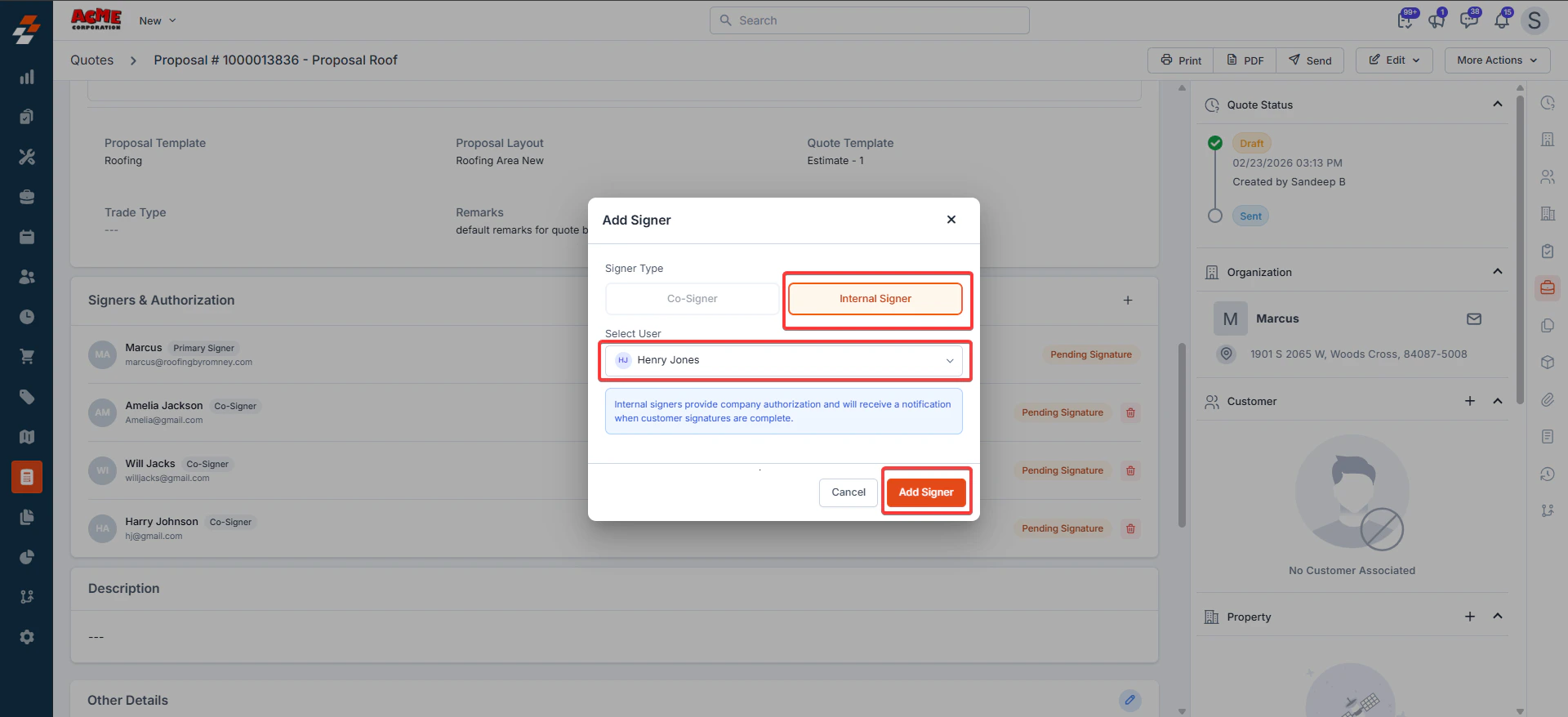
Proposal Multi-Signer: Collect multiple approvals within a single proposal workflow, including up to three co-signers and one internal counter-signer, helping teams complete approvals and close proposals faster.
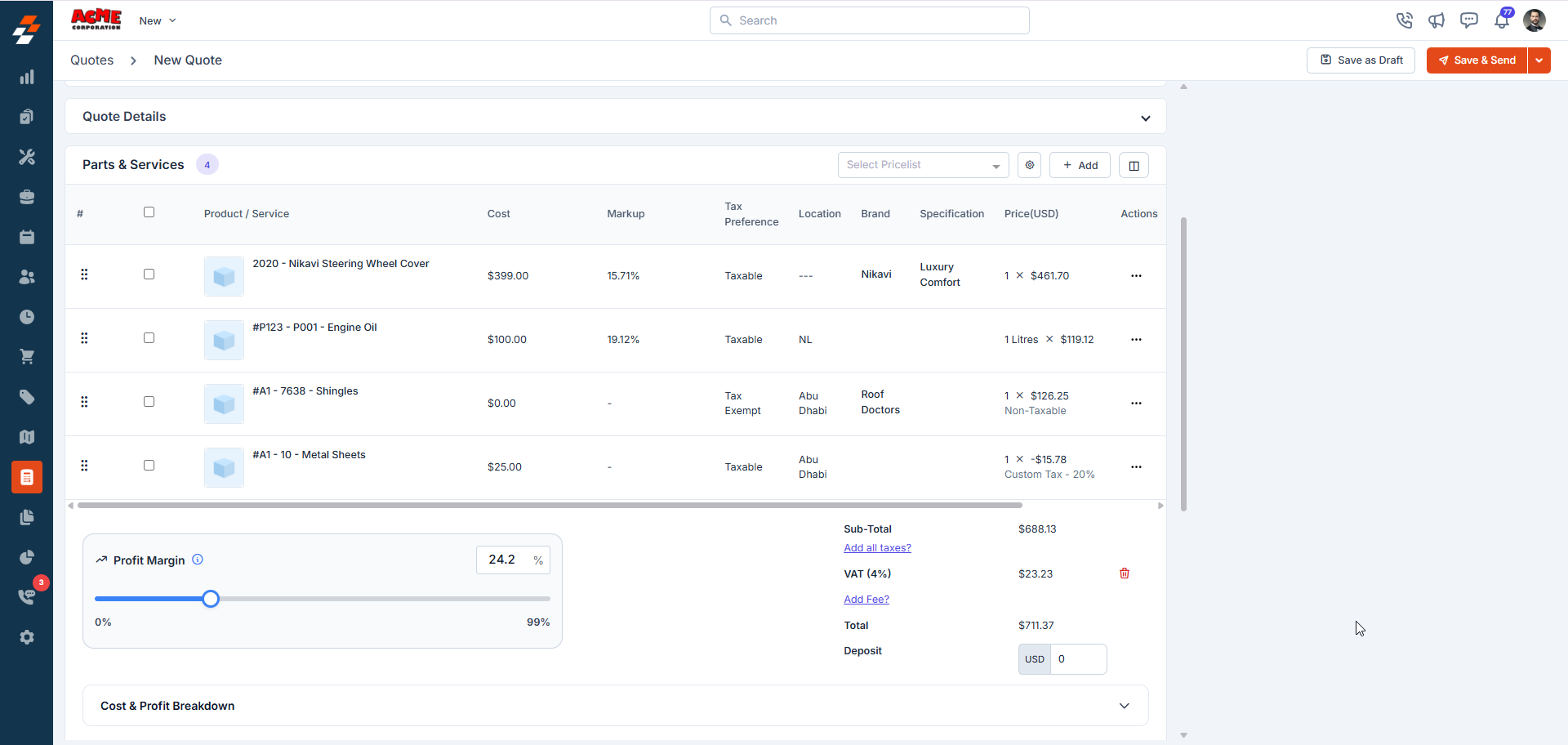
Profit Margin Slider: Adjust quote profitability using a dynamic profit margin slider that updates item markups and recalculates totals in real time while displaying key profitability metrics.
Zuper Connect- Auto Create Contact: Ensure no lead is missed with automatic contact creation for unknown incoming calls, allowing interactions to be tracked and used for reporting, automation, and AI workflows.
Sub Categories for Parts and Products: Parts and Products now support subcategories, enabling more granular organization and filtering across item creation, lookups, listing pages, checklists, and the mobile app.
GAF QuickMeasure Integration: Order GAF QuickMeasure roof measurement reports directly from Zuper jobs and automatically sync measurement data, aerial imagery, and reports back to Zuper for faster and more accurate estimates.
Zuper Connect Dialer in HubSpot: Make and receive calls directly within HubSpot using the Zuper Connect Dialer, with full call controls and automatic syncing of call activities to HubSpot.
Activate/Deactivate Option for App Store Integrations: Temporarily activate or deactivate App Store integrations without losing configuration, allowing teams to pause syncing for troubleshooting, bulk updates, or workflow adjustments.
Features
Add-ons in Proposals
Platform: Web V3, Android 4.1.18 and above, iOS 4.0.12 and above
Add-ons allow you to offer optional products or services within a proposal. Customers can select these add-ons during proposal acceptance, helping you upsell services and increase the overall quote value, without modifying the base scope of work.
Key highlights:
Add-ons can be configured in Standard Templates and CPQ Templates (Item rules and formulas are applicable to add-ons as well).
Add-on items can be included or excluded on the fly before presenting the proposal to the customer.
Add-ons are specific to each estimate option.
When a proposal is presented, customers will see add-ons relevant to the option they select and can choose which ones to include before signing or approving.
Selected add-ons will appear as line items in the quote, grouped under a separate header.
Learn more here
Before & After Image Creation
Platform: Web V3
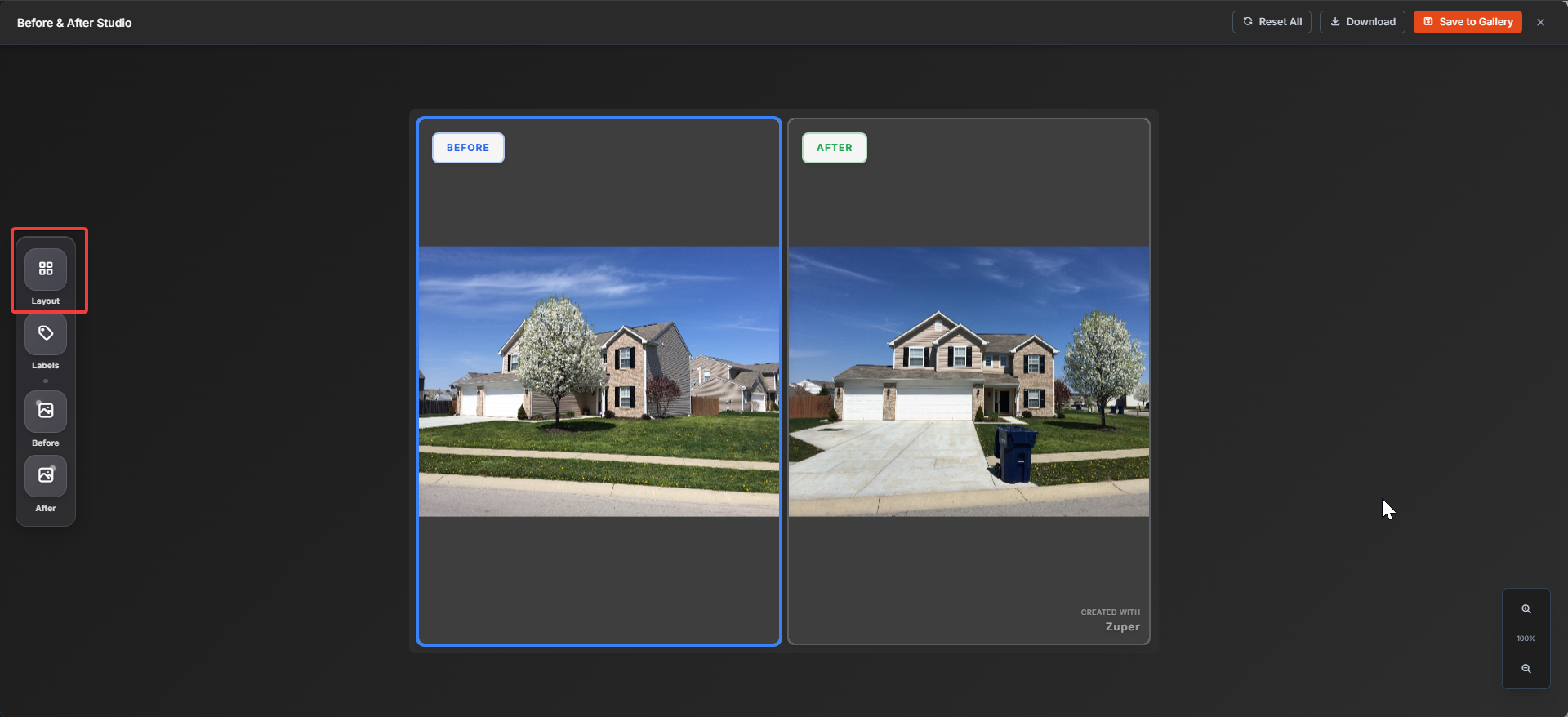
You can now create professional before-and-after comparison images directly within a job’s gallery, making it easier to showcase project progress and transformations without using external tools.
Two layout options are available: side-by-side (horizontal) and top & bottom (vertical). Each generated image includes a “Created with Zuper” watermark, and can also be downloaded if needed.
Availability: This feature is currently available on Web and can be accessed from Job Details → Gallery (not available in Photo Feed).
Learn more here
Proposal Multi-Signer
Platform: Web V3, Android 4.1.19 and above, iOS 4.0.14 and above
You can now collect multiple signatures within a single proposal workflow. The customer is set as the Primary Signer by default, with the ability to add up to three co-signers and one internal signer for counter-signing.
This makes it easier to capture approvals from homeowners and spouses, include HOA or property manager sign-offs, and complete internal compliance or finance checks without additional paperwork—helping you move proposals to closure faster.
Profit Margin Slider
Platform: Web V3, Android 4.1.18 and above, iOS 4.0.12 and above
Introducing the Profit Margin Slider, a new capability that allows you to easily adjust the profit margin of a quote by dynamically modifying the markup on line items.
Using the slider, you can change the profit margin within a configurable minimum and maximum range defined at the organization level. As the slider is adjusted, item markups update automatically and the quote total recalculates in real time.
The quote view also displays key profitability metrics including Actual Profit Margin, COGS (Cost of Goods Sold), Quote Total, and Actual Profit. The margin shown in the slider excludes discounts, while the actual profit margin reflects the value after discounts are applied.
The Profit Margin Slider is also available within service packages, allowing you to adjust margins for individual proposal options during proposal creation.
Availability: This feature is available on Web and Mobile if you have Profitability enabled.
Enhancements
Zuper Connect: Auto-Create Contact
Platform: Web V3
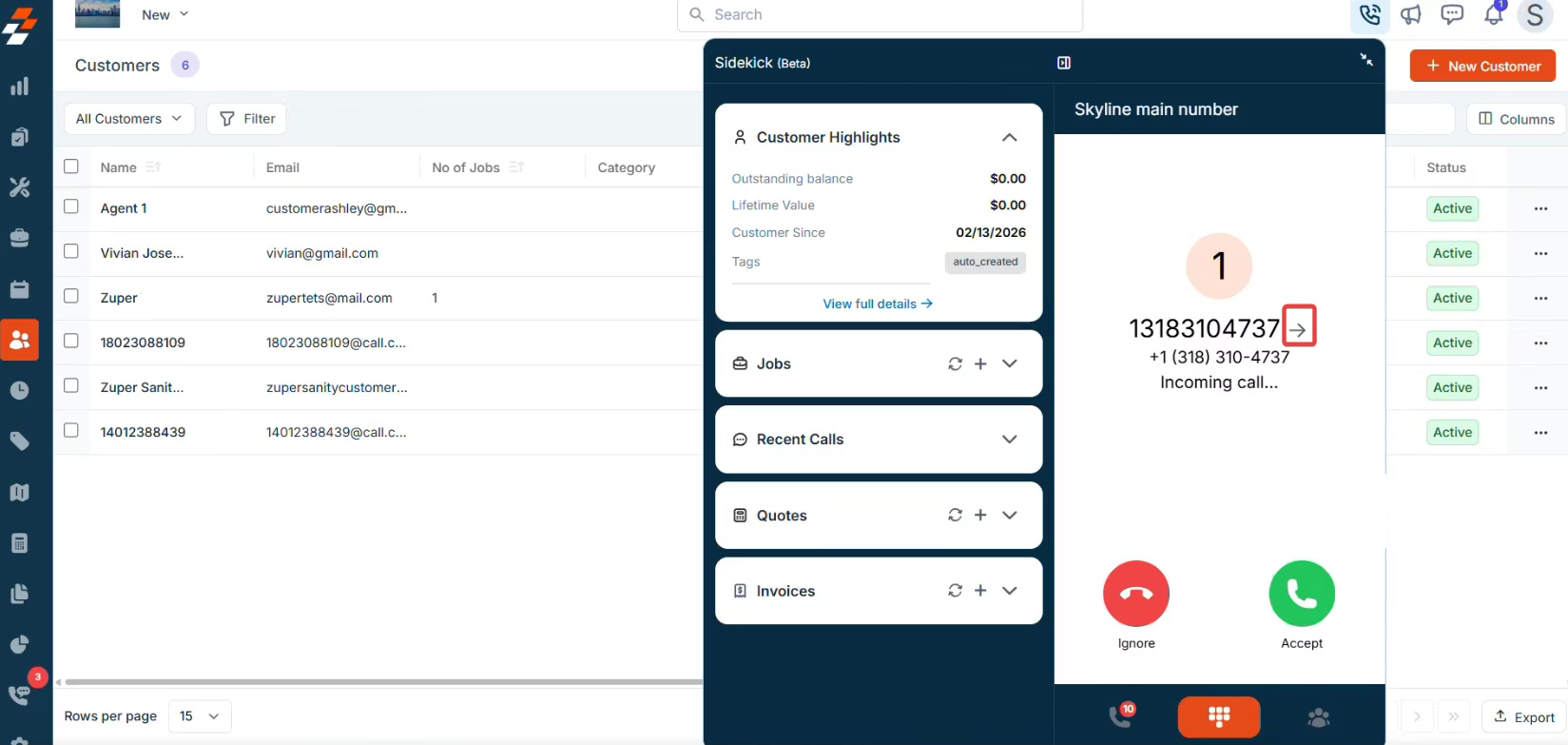
Auto-Create Contact is now available in Zuper Connect, ensuring that every incoming call from an unknown number is automatically saved as a contact. This helps capture leads reliably, improve data consistency, and strengthen reporting and AI-driven workflows.
When a call is received from a number that does not match an existing record, Zuper automatically creates a new contact and links it to the call or message record. This ensures interactions are tracked, supports attribution and automation, and works seamlessly with features like AI Responder.
Subcategories for Parts and Products
Platform: Web V3, Android 4.1.19 and above, iOS 4.0.14 and above
You can now create subcategories under part categories, providing an additional layer of organization and filtering.
What’s New:
Subcategories can be created under categories in the Parts and Services Categories settings page.
When creating parts or products, you can now associate each item with a subcategory under a category.
The line item picker now supports filtering by both categories and subcategories, making it easier to find the right items.
The Parts and Products listing page now includes subcategory filters for more precise searches.
Checklist and inspection form settings now allow you to specify which parts or products are visible based on subcategory selection during lookup.
This enhanced filtering is also available in the mobile application, so you can filter parts and products by categories and subcategories on the go.
This update streamlines item selection and management, giving you more control and flexibility across both web and mobile platforms. Learn more here
Integrations
GAF QuickMeasure Integration
We’re excited to announce that the GAF QuickMeasure integration is now available in Zuper! This integration enables customers to seamlessly order and manage roof measurement reports directly from their Zuper jobs.
With this integration, you can:
Order GAF QuickMeasure roof measurements directly from a Zuper job, with results automatically synced back to Zuper.
Download detailed QuickMeasure reports in PDF format.
Automatically populate measurement tokens in Zuper for accurate estimates and quotes.
Edit measurement values within Zuper (edits remain within Zuper and do not sync back to GAF).
Sync existing QuickMeasure reports for a property into Zuper.
Automatically add aerial imagery to the job’s gallery.
Learn more here
Zuper Connect Dialer in HubSpot
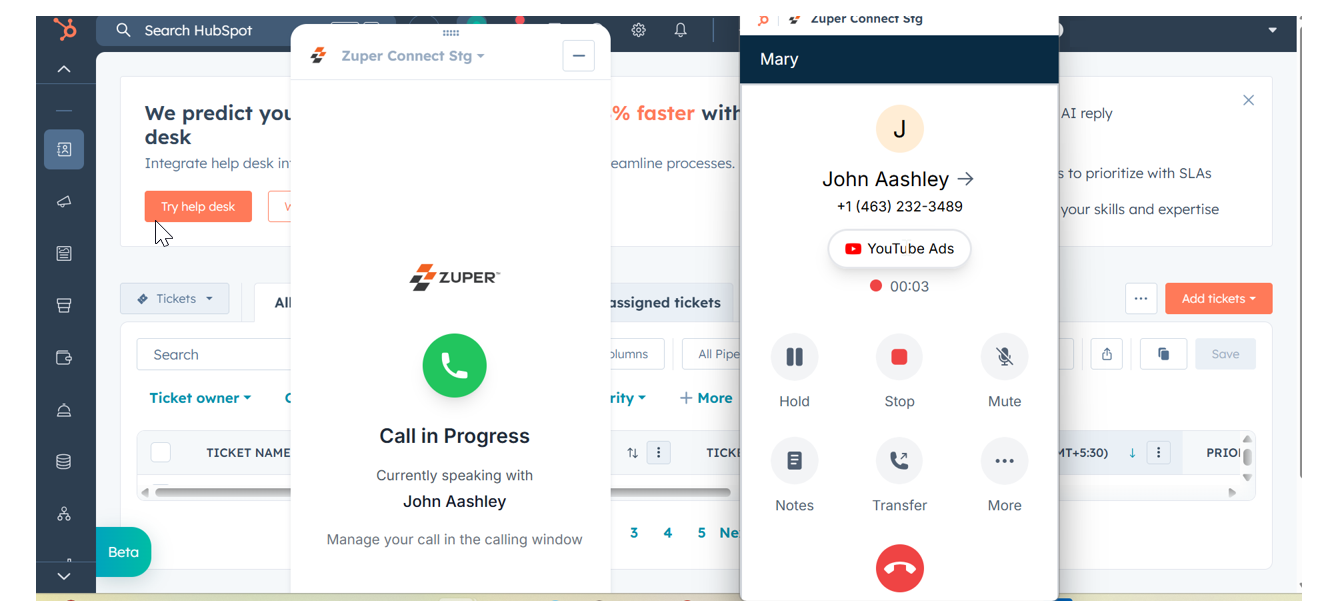
The Zuper Connect Dialer is now available inside HubSpot, allowing you to make and receive calls without leaving HubSpot. This eliminates the need to switch between applications and helps sales and service teams manage conversations more efficiently.
With this update, you can access Zuper Connect’s full calling experience directly within HubSpot, including call history and controls such as hold, mute, warm transfer, and cold transfer. The dialer also supports split-screen mode, allowing teams to manage contacts and deals while keeping the dialer visible.
Call activities will continue to sync automatically to HubSpot, ensuring consistent tracking without additional setup for already integrated customers.
Activate / Deactivate Option for App Store Integrations
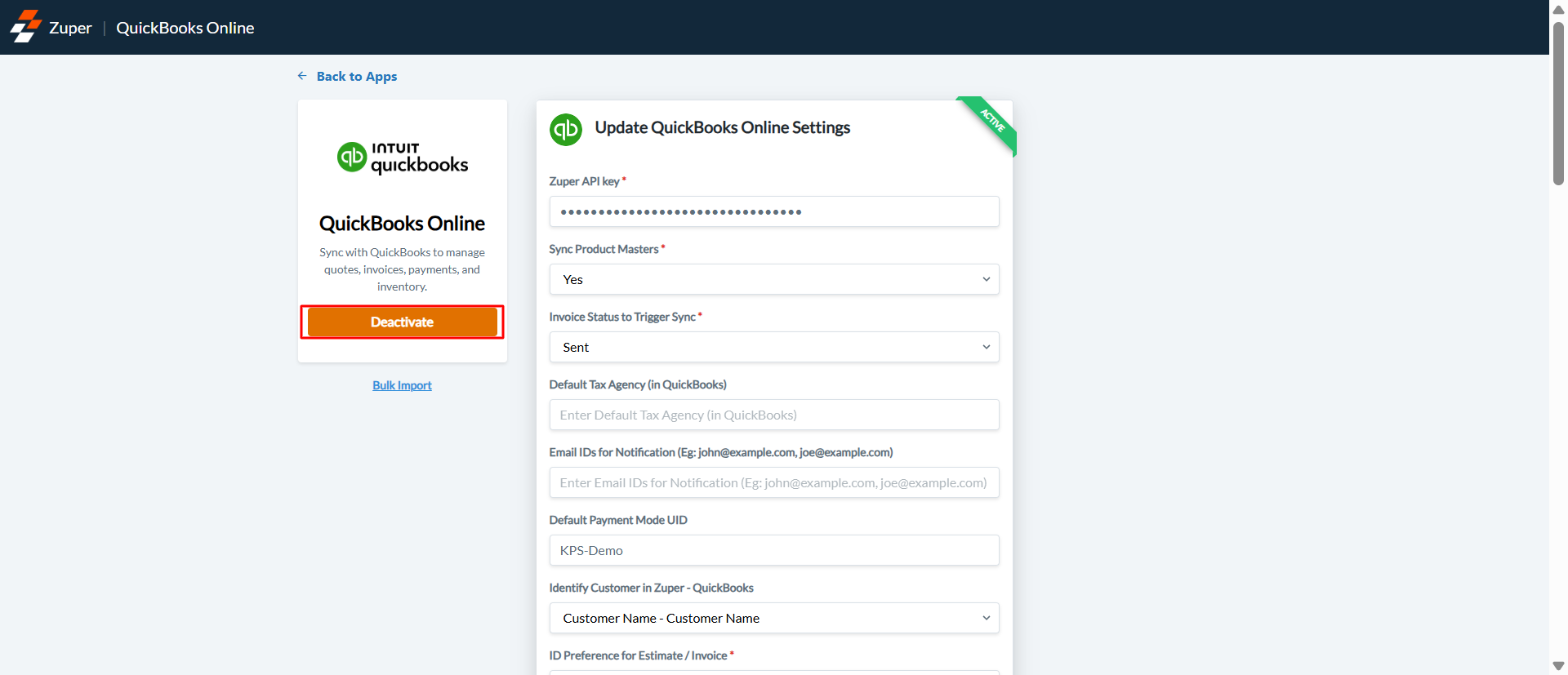
We’re introducing the ability to activate or deactivate installed App Store integrations. This platform-level capability allows you to temporarily pause integrations without losing their configuration.
Availability: This feature is supported across most App Store integrations. It does not apply to certain payment integrations (Stripe, Square), externally built integrations (Clyr, RRPS), or measurement integrations (Hover, EagleView). Some private apps such as QuickBooks Desktop and Power Apps also support this option.
Bulk updates for markup and formulas are now supported for Parts and Products directly from the listing page.
Standard Job and Customer fields can now be updated automatically from checklist answers using the ‘Update Field’ toggle.
The proposal cover image can now be changed directly from the mobile app, making it faster and easier to personalize proposals on the go.
Calls can now be initiated directly from the Dispatch Board with Connect, allowing dispatchers to contact technicians or customers without leaving the scheduling view.
A new “Unassigned Jobs” widget is now available on the dashboard for better visibility into pending work.
The ‘Mandate serial number’ setting is now available in the Asset General Settings. When enabled, the asset serial number is mandated when an asset is created.
Assets can now be created directly from the Job details page in the mobile app, simplifying asset tracking during field operations.
A new “Sold By” field has been added to Quotes to identify the user responsible for the sale.
Pricelists can be added at Option level in Proposals by enabling the ‘Enable pricelist in each option?’ in Quote and Invoice General settings.
Multi-dependencies can now be created in inspection forms based on value of a custom field.
A Gallery button on the Mobile Maps Job view now lets field reps quickly open photo galleries for nearby jobs, making it easier to showcase completed work to prospects while in the field.


